You should have known by now that Deadlock is all about abilities. If you ask me about the two things that one must master in order to improve in Deadlock, my answer will always be movement and abilities. I have already talked about the Movement aspect is my previous article. Now, it is time for ability casting.
Casting Mode Explained
Casting Mode is how you want to activate your abilities. It might not sound that important. But you will be shocked to hear how much your Casting Mode matters.
Aside from four abilities per character, Valve also offer four different Casting Modes:
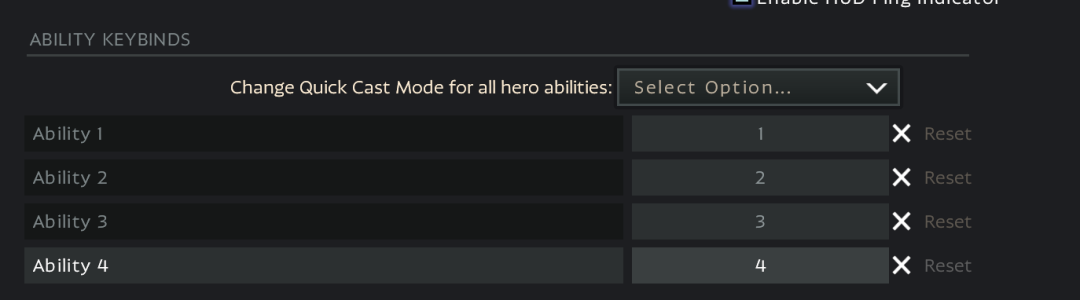
Ability Default
Ability Default: How the devs intended the ability to be used.
Instant Cast
Instant Cast: You activate the ability as soon as you press the button for that ability. In case of abilities that require you to place them manually, and you don’t get that big of a window to adjust. You place the ability exactly where your crosshair was when you pressed the button.
Confirm Cast
Confirm Cast: For some abilities after pressing the ability button, you get the option to confirm your selection using the mouse button.
Quick Cast
Quick Cast: Quick Cast is sort of similar to Instant Cast. You press the ability button, but you don’t activate the ability unless you release the button.
Which Casting Mode is the best?
Well, it is not that simple. A lot of players like to use Ability Default which basically assigns Instant Cast for most abilities. But I don’t necessarily agree. If you are a new player, and you ask me which one you should use. I would say that Ability Default casting mode should be good enough for you. But that is not what I do. Yes, I use Ability default for most characters. But I have Hero-Specific Casting Mode selected for some abilities.
Viscous Example
For example, when I play Viscous, I like to keep the Puddle Punch ability on Confirm Cast mode. By doing so, I press the ability button once, and then I get the liberty of selecting the exact spot for placing the punch with my mouse without holding any button and activating it whenever I want. This allows me to make insane microadjustments. I have The Cube ability on Confirm Cast, as well.
Celeste Example
On the other hand, Celeste’s default casting mode for her Radiant Daggers ability is Confirm Casting. But, I like to use Instant Cast for that ability. Since, with Celeste I am moving extremely fast, and jumping all around the map. I want the daggers to appear exactly where I point my crosshair immediately after pressing the ability button. I don’t want to take the time to press the button, select a placement, and then press another button. By doing this, I would end up slowing myself considerably.
Conclusion
In conclusion, if you are starting new then go with Ability Default. But as you play the more and more, try to customize things to suit your preference.
Lockbuilds
Editor
The Lockbuilds team covers Deadlock hero analytics, build guides, item breakdowns, and competitive strategy.